
Desktop App Downloads
📍 To download the Desktop App, go to: More > Desktop App Settings > Downloads
Overview

The Downloads page provides access to the RedFlag Alerts desktop app for both Windows and macOS platforms, along with detailed Version Notes highlighting updates and improvements. Each version includes system requirements and a download link.
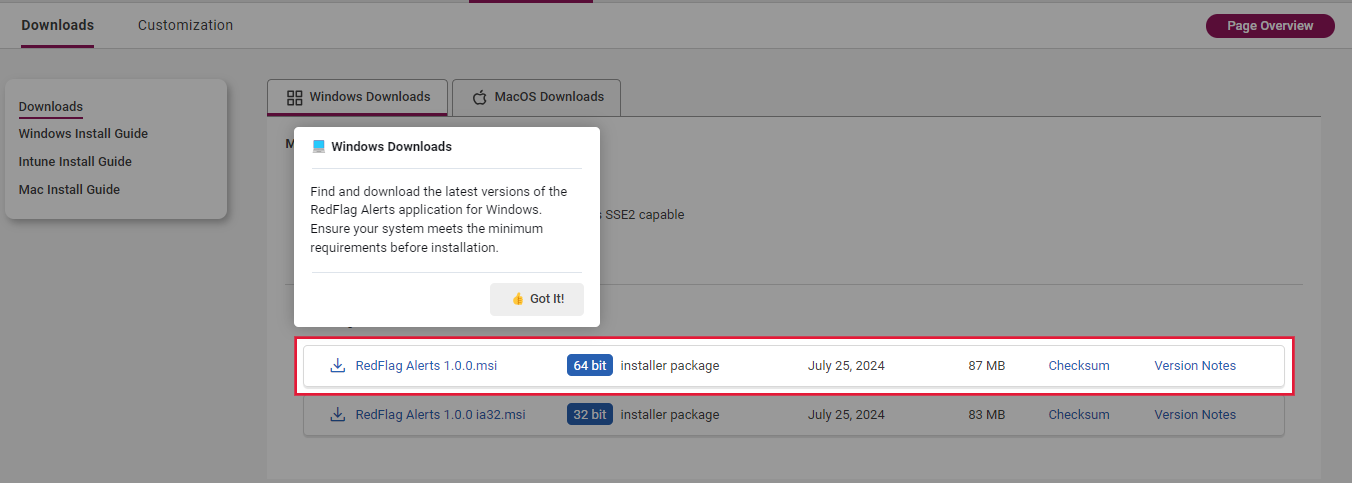
Windows Downloads
Minimum System Requirements
- Windows 10 or 11 (32-bit or 64-bit)
- Intel Pentium 4 processor (SSE2 capable) or equivalent
- 512 MB RAM
- 300 MB of available disk space
Available Downloads
- The most recent version of the RedFlag Alerts MSI installer is listed at the top.
- Previous versions are listed below.
- For each version, you’ll find:
- 32-bit and 64-bit MSI installer packages
- Release date
- File size
- Checksum
- Version Notes
Click the download icon next to the desired version to begin downloading.
macOS Downloads
Minimum System Requirements
- macOS 10.10 (Yosemite) or later
- 200 MB RAM
- 300 MB of available disk space
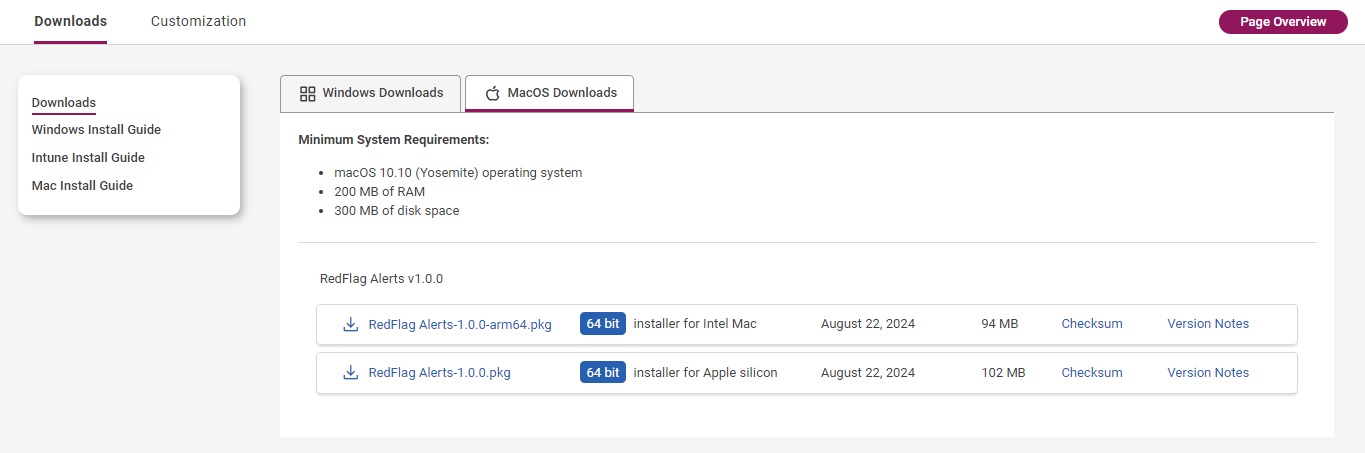
Available Downloads
- The latest version is listed first, followed by prior releases.
- Each version includes:
- A 64-bit installer for Apple Silicon
- A 64-bit installer for Intel Macs
- Release date
- File size
- Checksum
- Version Notes
- Click the download icon to download your preferred installer.
Installation
Once downloaded, follow the appropriate installation guide for your setup:
- Manual Installation – For installing on a single device.
- Silent Installation – For automated installs using third-party deployment tools.
- Microsoft Intune Installation – For organizations using Intune to deploy apps across managed devices.
🛡️ Note: For more information, see Desktop App Installation.